
Cyber Security for Small Business: Eat Your Vegetables, and Keep the Plan on Paper
Earlier this week, the day before I went on stage at a conference in Melbourne, a text came through on my phone that looked like it was from my son: “Hi Dad, save my new num, text me when you get this.”
I knew straight away it was a fake, for two reasons. I pay for his phone, so a new number would be news to me. And when he calls me Dad, it’s because he thinks I’ve done something wrong.
From the recording [0:12:10 to 0:12:46]: the day before, a text that looked like it came from his son, and the two giveaways that told him it was fake.
The next morning I asked the room who’d been targeted by a scam of some kind in the last month, by text, email or phone, and most of them said yes.
If it hasn’t come for you yet, it will, and this piece is about what you can do before it does, and what you do on the day it does.
Key points
- Cyber security for small business comes down to a few plain habits and one good plan, and the same goes for the rest of us at home.
- AI has changed the speed, the scale and how convincing an attack looks. The ways in are still mostly the old ones: a message, a link, a call, a reused password or a payment request that looks right.
- The panel walked through what’s knocking at the door, from phishing and cloned voices to ransomware, fake websites carrying a firm’s real licence number, and the fake job interview behind the Binance theft.
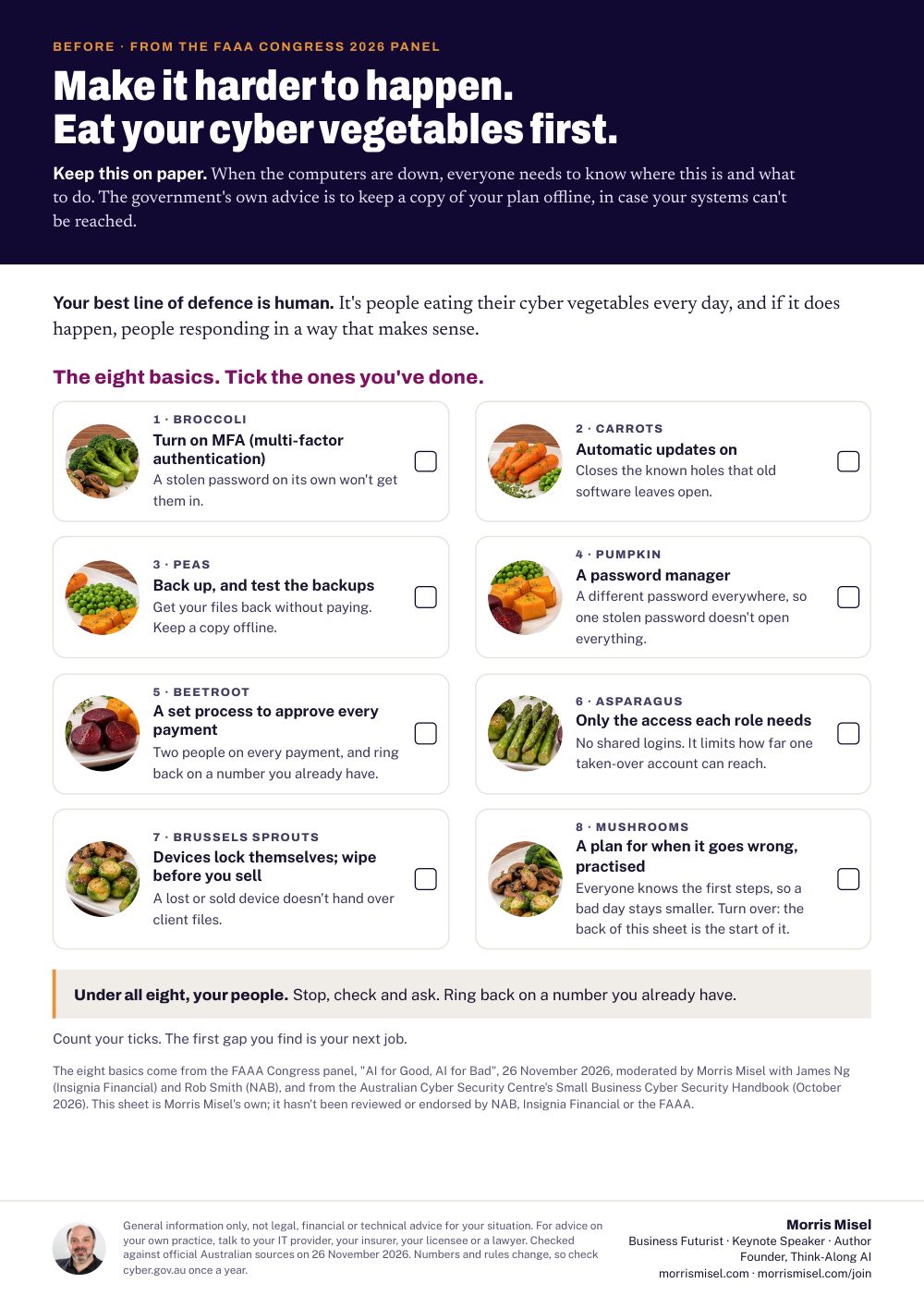
- The eight cyber vegetables are MFA, automatic updates, tested backups, a password manager, a set payment process, only the access each role needs, devices that lock and get wiped, and a plan you’ve practised.
- Keep your incident plan on paper. If ransomware locks your systems, a plan saved on your computer is locked too, and the government’s own advice is to keep a copy offline.
- In the first hour, don’t pay, disconnect the affected devices, ring your bank if money is involved, then your IT provider and your insurer, and write everything down.
- In Australia, the government’s cyber hotline is 1300 CYBER1 (1300 292 371), 24 hours a day, 7 days a week.
- I think the best line of defence is human: people eating their cyber vegetables every day, and people responding in a way that makes sense on the bad day.
Where this came from
On Thursday 26 November 2026 I hosted a panel on AI and cyber security for small business called “AI for Good, AI for Bad”, at the FAAA Congress 2026 in Melbourne.
The FAAA is the Financial Advice Association Australia, and the session was for financial advisers and practice owners. The FAAA described it as a look at “AI, cyber threats, deepfakes, regulation and what these developments mean for the future of trusted advice”.
I was on stage with James Ng, Chief Information Security Officer at Insignia Financial and co-chair of the Australian Superannuation Cybersecurity Forum, and Rob Smith, Acting Chief Security Officer, Group Security, at NAB.
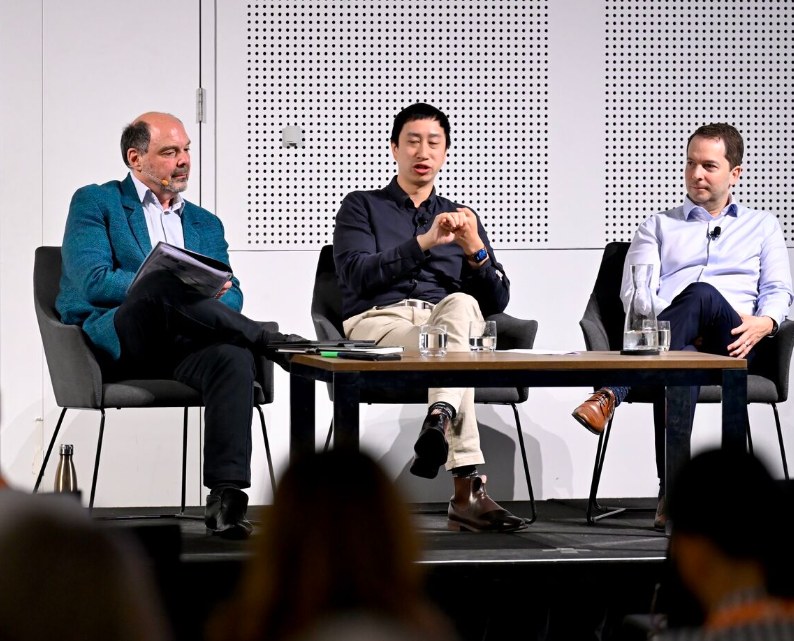
The FAAA had given us its own line for the morning, eat your cyber vegetables first, and one of the most useful things to come out of the hour was a piece of paper.
I’ve written this for anyone running a small practice or a small business, and most of it works just as well at home. There’s a free sheet at the end of it too, one A4 page you print and keep on the shelf.
The room isn’t unusual
The numbers say the same thing. The Australian Signals Directorate’s latest Annual Cyber Threat Report counted over 82,000 cybercrime reports in 2025-26, one every six minutes on average, and the average self-reported cost for a small business was $55,400.
The National Anti-Scam Centre says Australians reported losing $2.18 billion to scams in 2025.
I said on stage that there’s very little any of us can do about the attacks coming from outside, and that a lot of what happens next is still up to us.
What’s knocking at the door
Most of the hour was spent at what I called the front door, looking at what’s knocking on it.
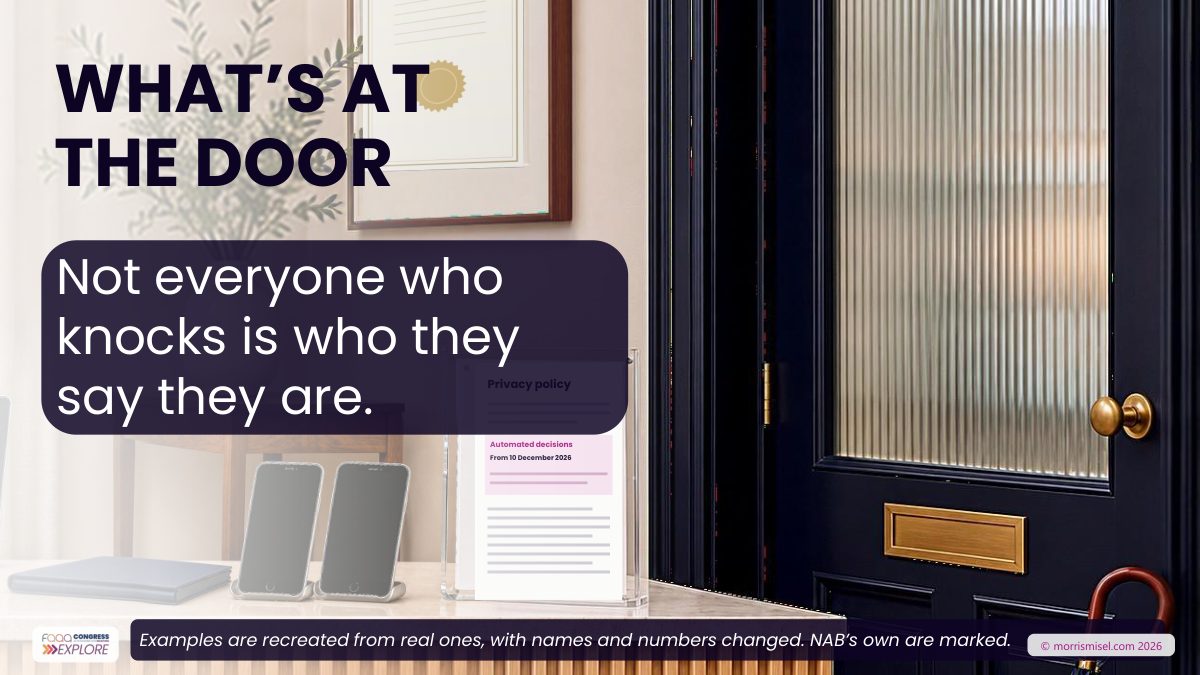
From the recording [0:25:35 to 0:26:04]: in the old days a knock brought wine and flowers; today not everyone who knocks is nice, and a gift may be a Trojan horse.
In the old days, when somebody knocked and the receptionist let them in, they came with a bottle of wine and some flowers. Not everyone who knocks is all that nice now, and as I said in the room, “they may come in bearing gifts, but it may be a Trojan horse”.
We went through them in this order.
Phishing
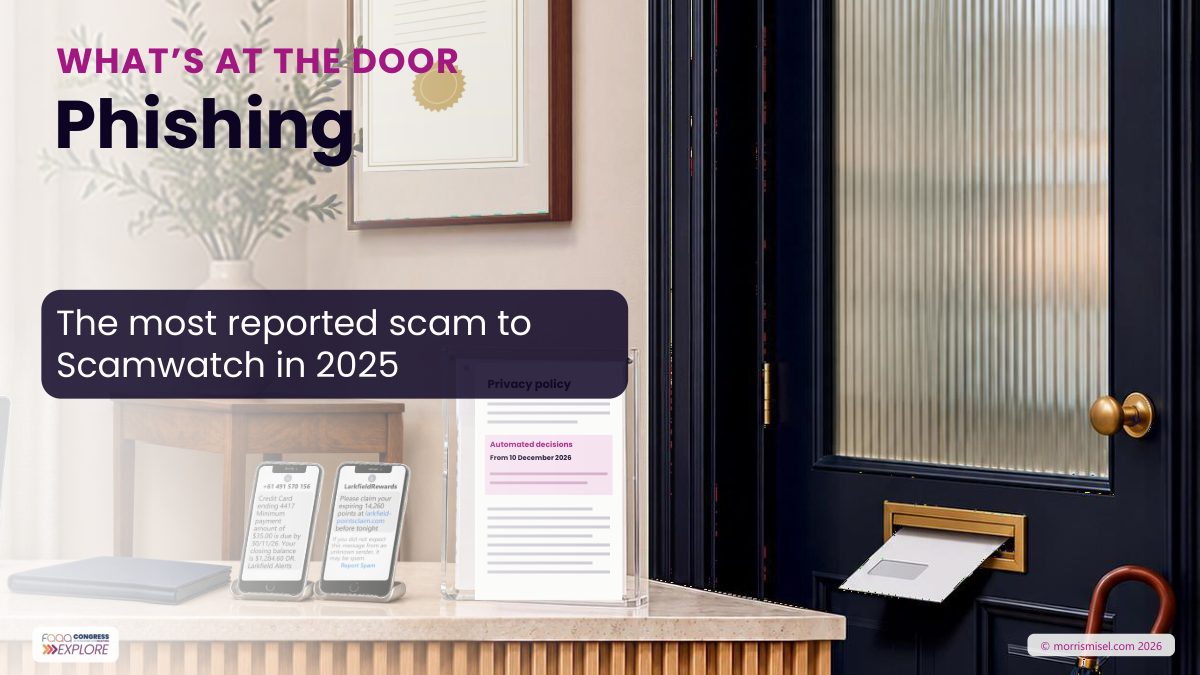
Rob called phishing one of the oldest tricks there is, a message pretending to be from someone you’d trust, with a sense of urgency built in so you click before you think.
It started with email and moved to texts and voice calls, and he said the bad spelling we used to look for is going, because AI turns poor English into good English.
Impersonation
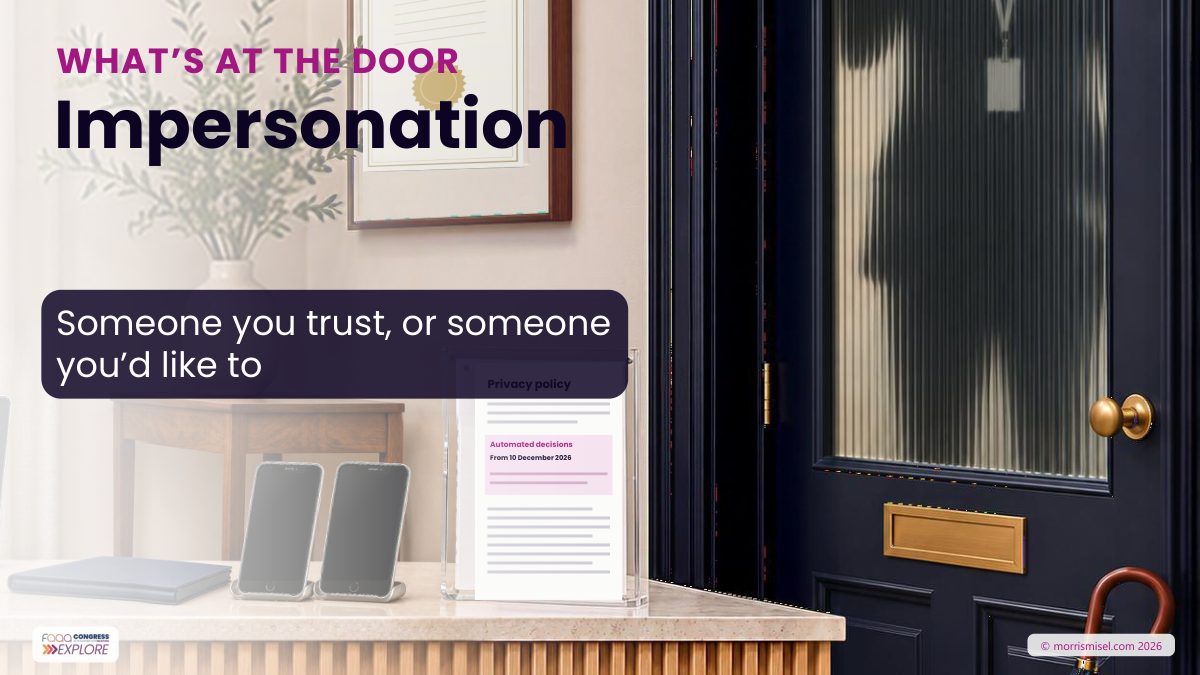
Rob showed how a faked sender name can slip into the real message thread you already have with a real company on your phone, so even the name at the top isn’t proof. His tells were whether it’s personalised to you, and whether it’s asking you to do something.
The fake job interview behind the Binance theft
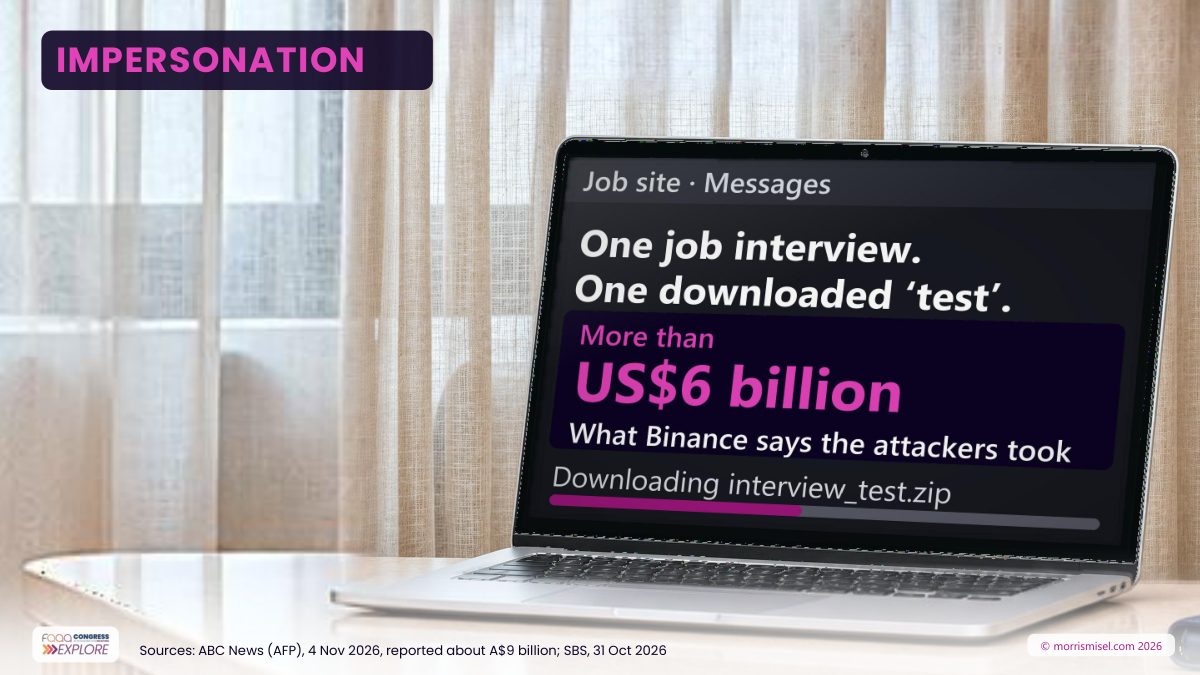
Binance is the world’s largest cryptocurrency exchange, and on 29 and 30 October 2026 attackers took around US$6.3 to 6.6 billion from it, about A$9 billion, as the ABC reported.
The way in, as I told the room, was a job interview. An engineer was persuaded to download a “test exercise” as part of the process, and the file carried malware.
The FBI has named North Korea, through the group it calls TraderTraitor, and Chainalysis calls it the largest cryptocurrency theft on record, roughly four times the Bybit theft in 2025.
Rob put the size of it another way. This one heist was about as much as North Korea’s hackers were thought to have stolen in the five to ten years before it, and TRM Labs puts their total before it at roughly US$6.4 billion.
There’s even a running list of the biggest known crypto heists, and Binance is second on it.
For me the lesson was how ordinary the way in was. Being headhunted is flattering, most of us would take that interview, and a test exercise is a normal part of hiring.
Cloned voices and faces
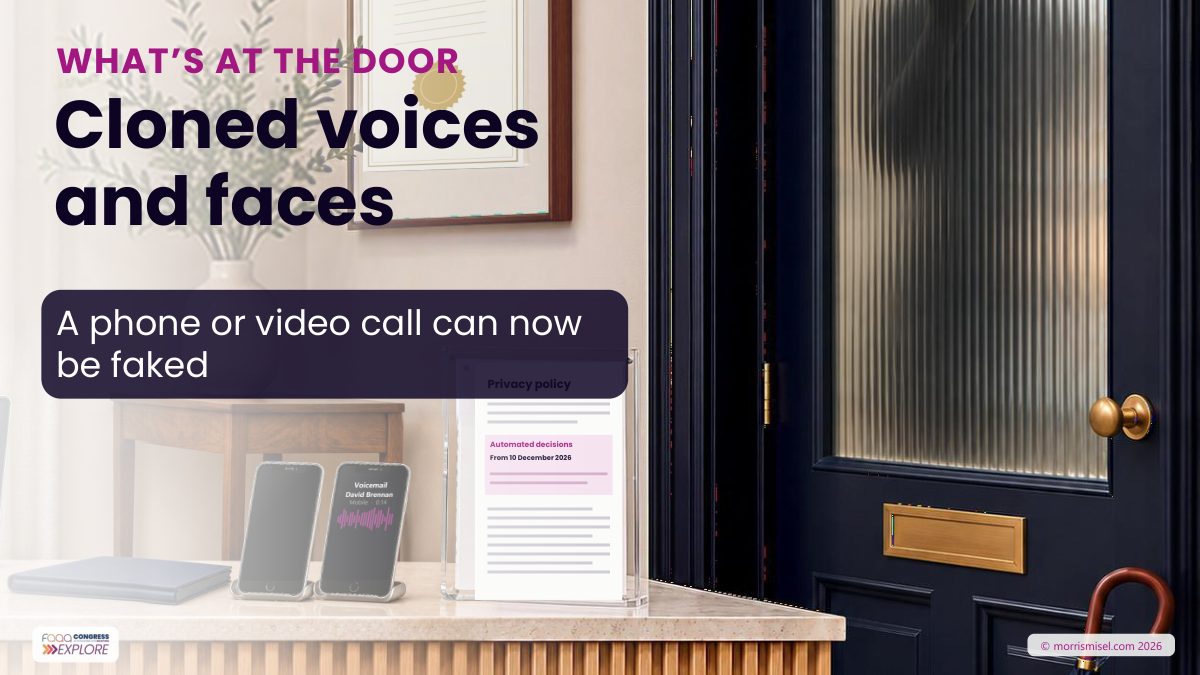
James said a short sample of someone’s voice is now enough to make it sound exactly like them, even live on a call, and the old giveaways, like a muffled voice, are going.
We played the room a recreated voicemail from a client who was just about to board a plane, asking for $40,000 to be moved to new bank details, and in the rush of a day it sounded like any busy client.
Rob’s advice was to check out of band. Ring them on the registered number, or one from the company’s own website, never the number in the email or the invoice.
Grooming
This one starts as an ad and turns into a friend. The ad is the hook, and the chat it leads to is the slow, friendly grooming, and one line from a real WhatsApp chat of that kind says it all: “trust will gradually build”.
The point added on the panel was that it’s no longer one email with everything in it. They build a relationship and some trust first, and only then ask for the thing that hurts you.
Business email compromise
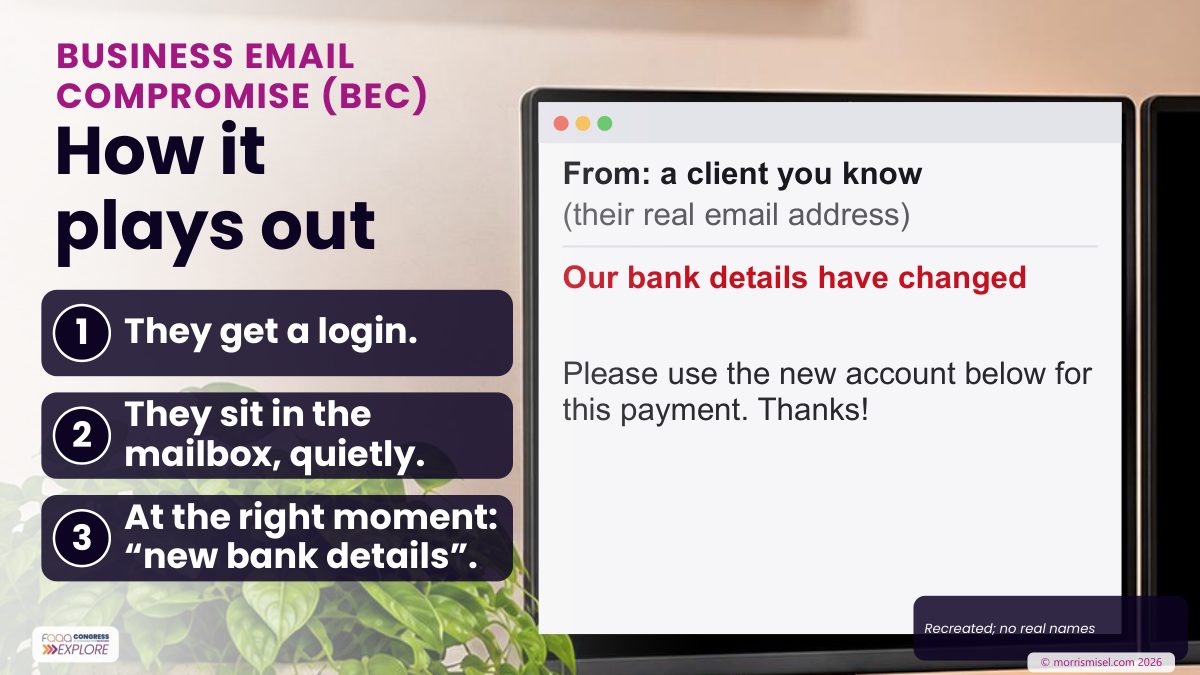
James walked us through it. They use details from an earlier breach or from what’s public, LinkedIn included, build a story around you, and then either get you to pay a “supplier” whose bank details have changed, or take over your identity to trick other people.
Rob made it real with FluffyBunny89, the one password used for every site. One site gets breached, the password and email end up for sale on the dark web, and someone logs into your client’s email with it.
They then pick up a real email thread between you and that client, ask you to do something, and set up an inbox rule so your client never sees your answers, while all along you think you’re talking to the client you’ve known and trusted for years.
Ransomware
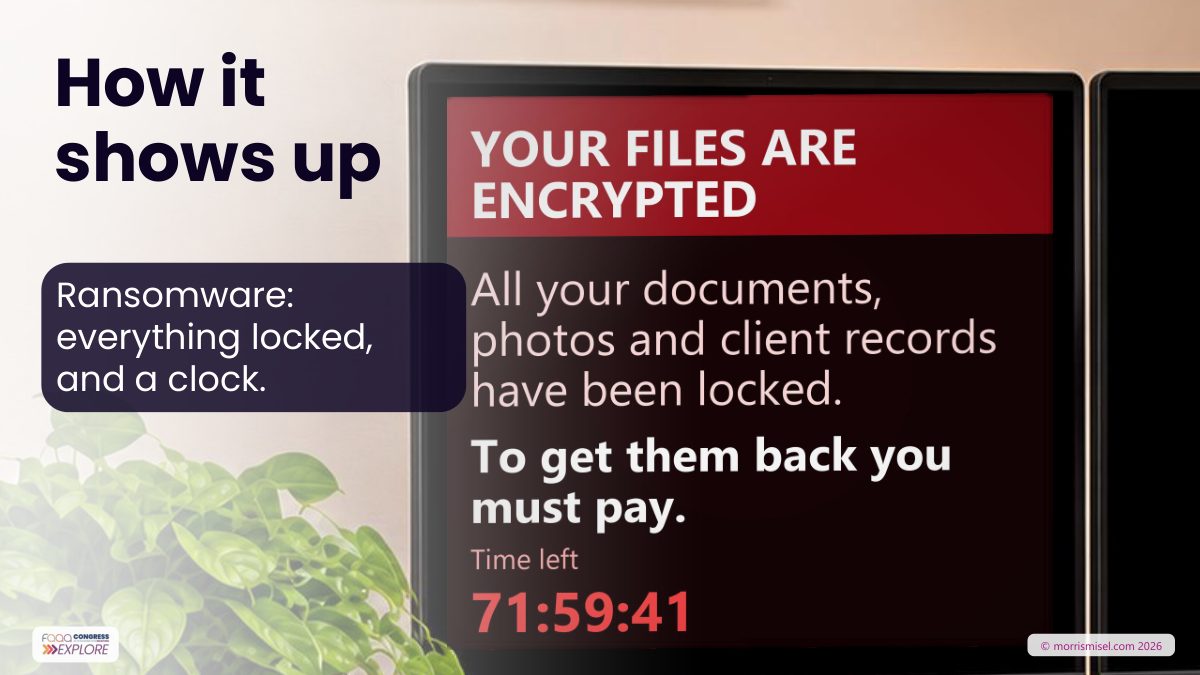
Rob gave us the three Ps for how ransomware gets in: people, passwords and patches. People click on the wrong thing, passwords leak and get used on remote access, and patches you haven’t applied leave a hole open.
He also explained double extortion, where they steal your files first and then lock them, and threaten to publish your clients’ details if you don’t pay.
That’s where I talked about the trust cliff, because there’s no small step down, you just fall off it, and the public doesn’t give you much credit when it wasn’t your fault.
Fake websites with a real licence number
James’s newest point of the morning was about fake websites. They now use a firm’s real licence number, its real entity name and its real head office address, so the usual checks on the ASIC register and Google Maps all pass.
So the check that still works is the one you do yourself: ring the number you already have, or the one you look up, never the one in the message.
The worried client
The last knock at the door was a friendly one, a worried client ringing you to check.
James said to be calm, be the sounding board, and play back what you’re hearing. Then thank the client for calling, even when the message is real, because that’s the habit you want them to keep.
I likened it to ringing your dad to tell him you’ve smashed the car. Nobody wants to make that call, and if you know he’ll stay calm, you make it anyway, and that relationship has to be there before the bad day, because afterwards it’s really hard to build.
The ways in haven’t changed, the speed has
For most practices the records used to be paper, in cabinets, and a lot of that has gone digital, for good reasons.
On stage I put it like this: “where most of us used to have a river of information in our practice, we now have the ocean”, and the ocean is what lets people in, because they know the information is there.
AI has become ordinary, like electricity. We don’t give electricity a thought at all; all we care about is what we can plug into it and that it works.
AI is the same now. In a very short space of time it’s become ordinary and expected, and what we now have to do is use it wisely, as a tool to create the expected and the unexpected.
I think the people who mean to do harm have always been there, and what’s changed is the tools they use, how fast they move and the way they come to us.
James broke it into three. The scale is more messages to more people, the speed is how quickly it happens, and the sophistication is mostly a lower bar to get in, so someone who couldn’t write a convincing email or a line of code can now have a machine do it for them.
Rob said that on “Patch Tuesday” Microsoft releases its monthly bundle of fixes, and in one recent month it put out about 1,500 of them, against about 1,200 in the whole year before.
He also said a patch can now be turned into an attack in hours, because a machine can read what the patch changed and work backwards to the hole it was fixing.
None of this is new to me as a subject. I was talking about National Cyber Security week on ABC Radio Australia in June 2010, as “a timely reminder of why we need to be careful on and off line”.
In August 2015, talking about the Ashley Madison hack on Hong Kong Radio 3, my advice was “don’t put anything online that you wouldn’t go down to the local market and shout”.
And in June 2024, on Hong Kong Radio 3 with James Ross, I said the thief who used to take one or two things from a house now gets into somewhere central and takes everyone’s information.
I said this is an industry with whole teams doing nothing else, and that there were already people out there pretending to be someone’s mother, father or boss.
I also owned up on air to resetting my own password manager’s master password the week before, because I’d forgotten it. It can catch any of us.
Two and a half years later, the “Hi Dad” text on my own phone was exactly that kind of knock at the door. I’d written about cloned voices that August too, and it’s here now.
Cyber security for small business starts with your vegetables
The vegetables are the plain basics, and I think they do most of the work, even though they sound too simple to matter.
As a parent, I knew my kids didn’t want their broccoli, and I knew it was good for them anyway. The basics are the same, and on the panel we went through them one at a time.
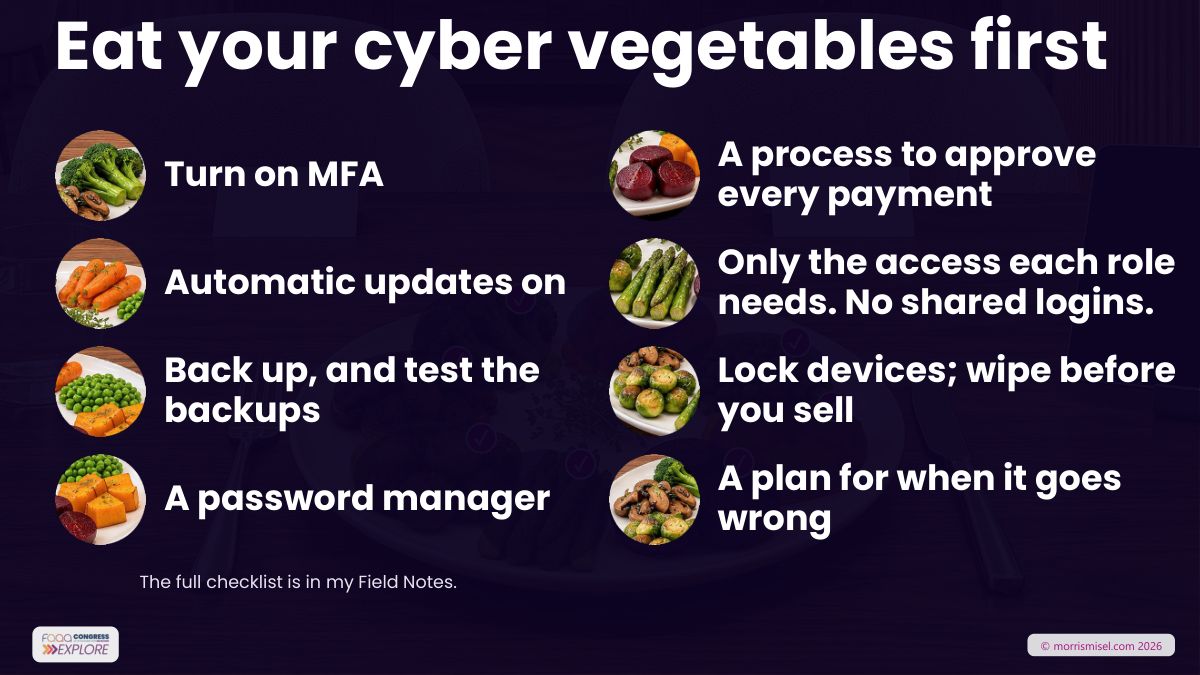
1. Broccoli: turn on MFA
Multi-factor authentication means a stolen password on its own won’t get them in. James said five years ago advisers told him MFA was a pain, and now clients are telling advisers they won’t trust a platform that doesn’t have it.
2. Carrots: automatic updates on
Updates close the known holes that old software leaves open. James and Rob both owned up to hitting snooze on the restart button, and both asked the room to stop doing it.
3. Peas: back up, and test the backups
Backups get your files back without paying, and one copy should be kept offline. The point on the panel was that a backup only counts if you’ve actually restored from it and worked from it.
4. Pumpkin: a password manager
Every site gets its own password, so one stolen password doesn’t open everything else. James said it’s quick to set up, it may already be on your phone, and the paid ones cost very little.
5. Beetroot: a set process to approve every payment
That means two people on every payment, and a ring back on a number you already have. Rob’s one rule was to check payment details against a source you trust, by another channel, whenever you’re in doubt.
6. Asparagus: only the access each role needs
No shared logins, which limits how far one taken-over account can reach. As the panel put it, when everyone shares one login, nobody knows who did what.
7. Brussels sprouts: devices lock themselves, and get wiped before you sell
A lost or sold device shouldn’t hand over client files. The advice on the panel was to do a factory reset before you donate or sell, and for anything more sensitive, to use a secure destruction service that gives you a certificate.
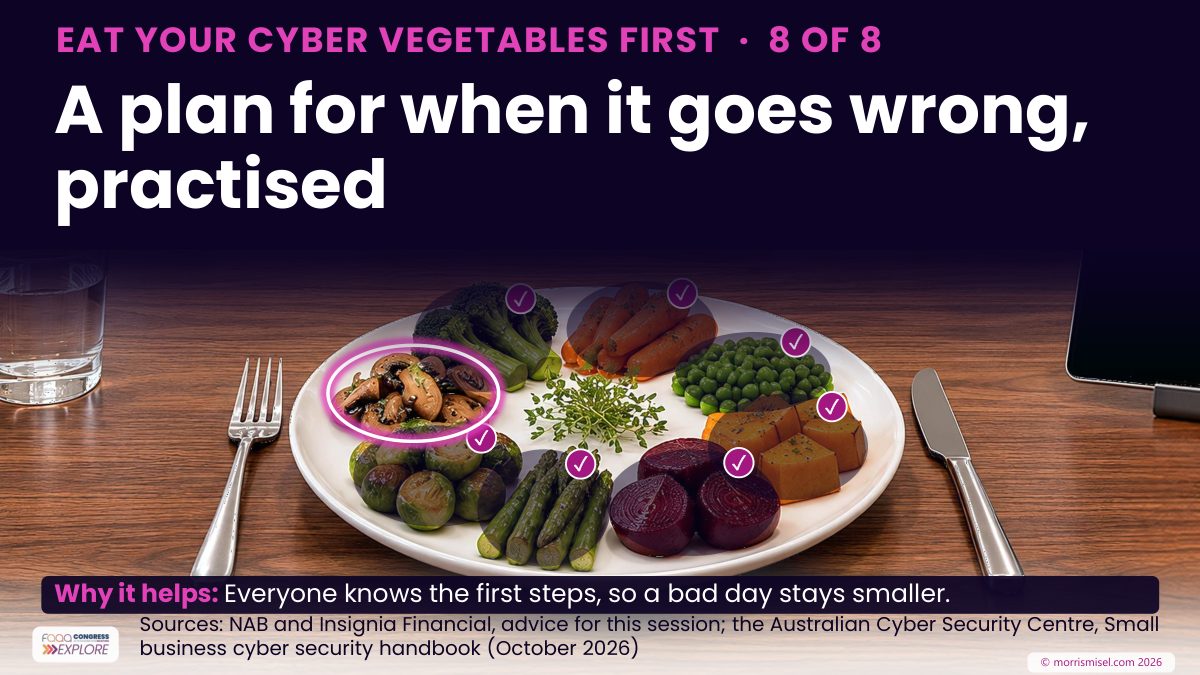
8. Mushrooms: a plan for when it goes wrong, practised
Everyone knows the first steps, so a bad day stays smaller, and the back of the sheet is the start of it.
Behind all eight are your people, and I think the habit that does the most is to stop and check and ask, and to ring back on a number you already have.
If you’d like a figure for why the people matter, the 2026 Verizon Data Breach Investigations Report found that 62% of breaches involved a human element. That’s people being part of how it happened, and I think it says the human side is where most of the difference can be made.
Keep the plan on paper
The sheet came out of the mushrooms, the plan for when it goes wrong, and James got us going on it.
James said you don’t want to be working out your response during the incident. Have a plan ready, nothing over-engineered, almost a mini checklist of who you need to contact and what the steps are.
I added that it needs to be thought through beforehand, because the middle of an attack is about the worst time to think clearly, and then I went one step further.
From the recording [0:51:47 to 0:52:10]: have something simple to fall back on, kept physically on a shelf, not only on a computer; it should be the thing that gathers dust, always there for the day it does happen.
Put it on a shelf, physically, not only on a computer. It should be the thing that gathers dust and never has to be opened, and it should always be there for the day it does happen.
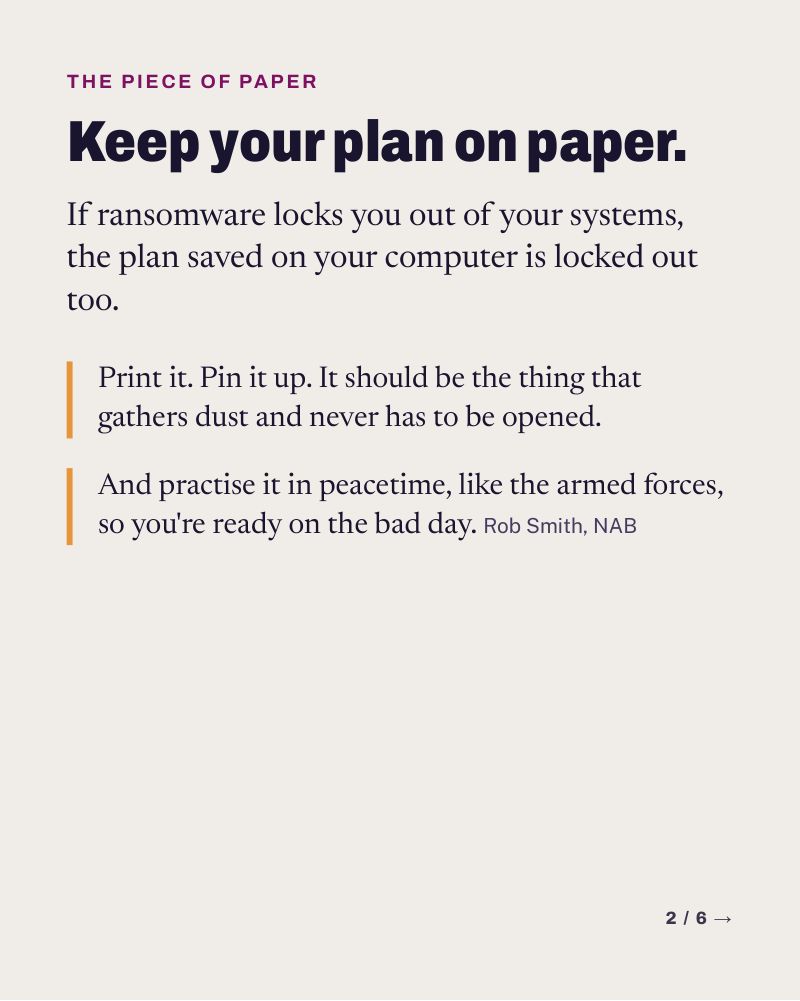
Rob picked it up straight away. Like the armed forces, you practise in peacetime so you’re ready on the bad day, and you test the plan with your team and your leadership so everyone knows exactly what to do.
Then he gave the reason for the paper. If ransomware locks you out of your systems, you don’t want your plan to be one of the files you can’t open.
From the recording [0:52:12 to 0:52:51]: like the armed forces, practise the plan so the team knows exactly what to do, and keep it printed, because if ransomware locks you out, a plan on your systems is locked too.
The government agrees. The Australian Cyber Security Centre’s small business handbook says a copy of your plan should be available offline, in case your systems can’t be reached.
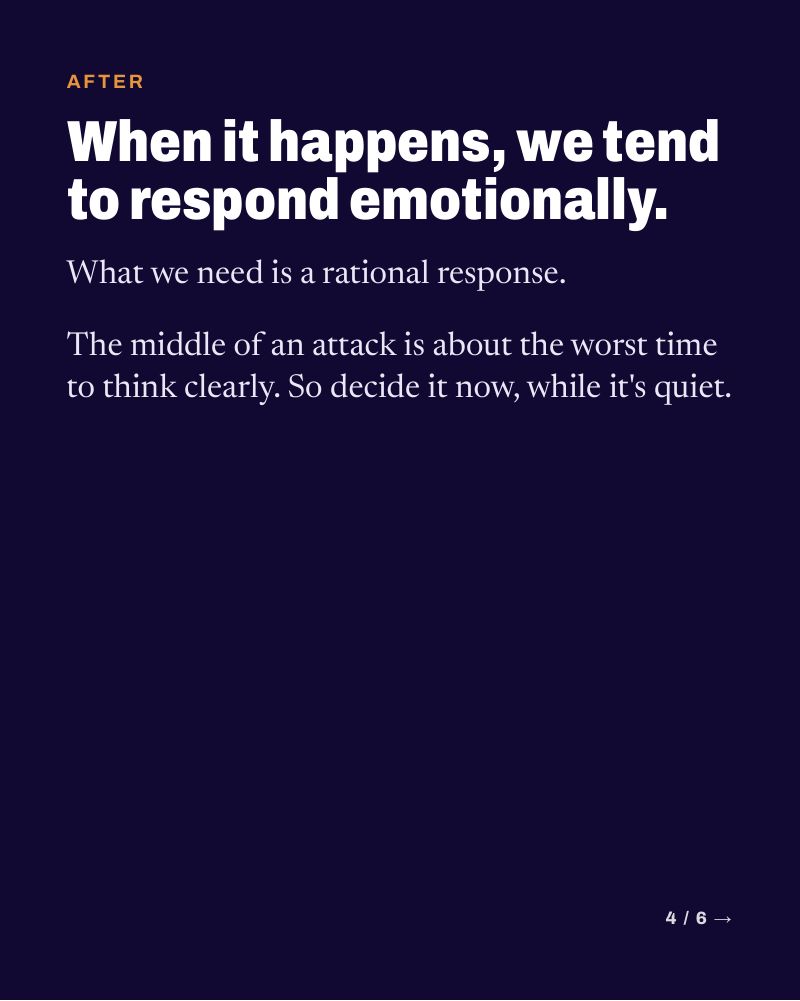
There’s a human reason too. When it happens, we tend to respond emotionally, and what we need is a rational response.
I don’t think you can decide to be calm in the moment, but you can decide now, while it’s quiet, what you’ll do, and then on the day you only have to follow it.
The first hour, before you think
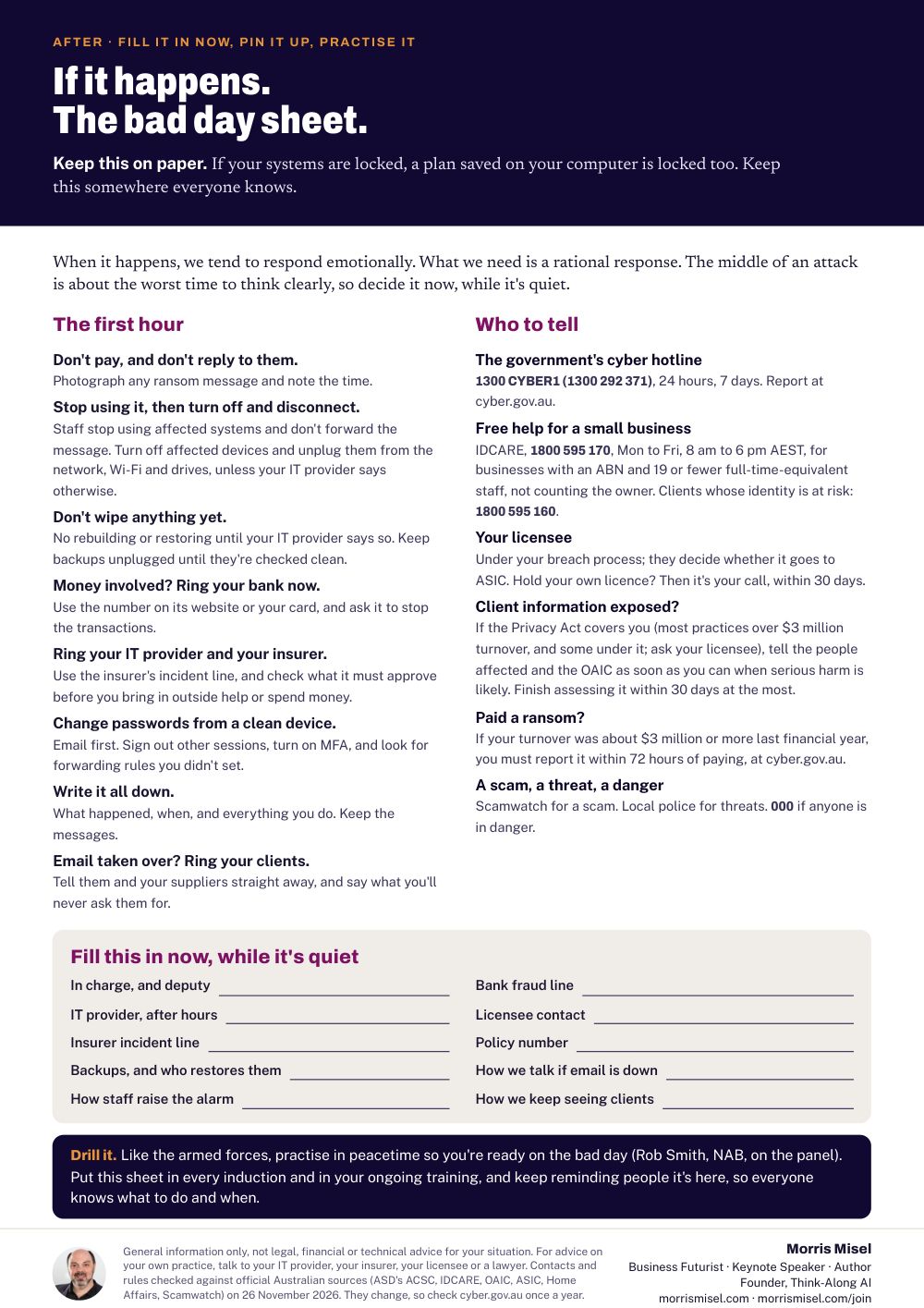
This is the back of the sheet, and it’s what I’d want within reach on the day.
- Don’t pay, and don’t reply to them. Photograph any ransom message and note the time.
- Stop using it, then turn off and disconnect. Staff stop using the affected systems and don’t forward the message. Turn off affected devices and unplug them from the network, Wi-Fi and drives, unless your IT provider says otherwise.
- Don’t wipe anything yet. No rebuilding or restoring until your IT provider says so, and keep backups unplugged until they’re checked clean.
- Money involved? Ring your bank now. Use the number on its website or your card, and ask it to stop the transactions.
- Ring your IT provider and your insurer. Use the insurer’s incident line, and check what it must approve before you bring in outside people or spend money.
- Change passwords from a clean device. Email first. Sign out other sessions, turn on MFA, and look for forwarding rules you didn’t set.
- Write it all down. What happened, when, and everything you do, and keep the messages.
- Email taken over? Ring your clients. Tell them and your suppliers straight away, and say what you’ll never ask them for.
Who to tell in Australia
- The government’s cyber hotline is 1300 CYBER1 (1300 292 371), 24 hours, 7 days. You can report at cyber.gov.au.
- Free support for a small business comes from IDCARE, 1800 595 170, Monday to Friday, 8 am to 6 pm AEST, for businesses with an ABN and 19 or fewer full-time-equivalent staff, not counting the owner. Clients whose identity is at risk can ring IDCARE on 1800 595 160.
- Your licensee, under your breach process. They decide whether it goes to ASIC. If you hold your own licence, it’s your call, within 30 days.
- Client information exposed? If the Privacy Act covers you (most practices over $3 million turnover, and some under it, so ask your licensee), tell the people affected and the OAIC as soon as you can when serious harm is likely. Finish assessing it within 30 days at the most.
- Paid a ransom? If your turnover was about $3 million or more last financial year, you must report it within 72 hours of paying, at cyber.gov.au.
- For a scam, a threat or a danger, it’s Scamwatch for a scam, local police for threats, and 000 if anyone is in danger.
The sheet has spaces to fill in now, too: who’s in charge and their deputy, your bank’s fraud line, your IT provider after hours, your licensee and your insurer’s incident line, where the backups are and who restores them, how you’ll talk if email is down, and how you’ll keep seeing clients.
What 2027 looks like from here
Nobody can predict the next attack, but I do think a practice can prepare for the kind of year that’s coming.
Some of the signals are already here. Patches come out faster and get turned into attacks faster, fake sites borrow real licence details, and clients have flipped on MFA from a nuisance to a reason to trust you.
The courts have moved too. In February 2026 the Federal Court ordered FIIG Securities to pay a $2.5 million penalty, which ASIC says is the first time the court has imposed civil penalties for cyber security failures. The penalty was for what wasn’t in place, including MFA, an update plan and a tested incident response plan.
The first ripple, I think, is that more of the knocks at the door will look exactly right, with the right name and the right thread and a voice that sounds like someone you know.
From there, I’d expect clients to start asking how you look after their information the way they ask about fees, and to choose on the answer.
And further out, the practices which come through a bad day calmly, because the plan was on the shelf and the team had practised it, keep their clients’ trust when it matters most, and that’s worth a lot more than the effort the vegetables take.
My close on stage was about people, with good training for your team and a safe place where they can tell you straight away if they think they’ve clicked on something, so it gets talked about as quickly as possible.
What I’d do this week
- I’d print the bad day sheet, front and back, and pin it up where everyone can see it.
- Have a look down the eight vegetables and see which ones you’re already eating, and the first one you’re missing is the one to start with.
- I’d fill in the numbers on the back now, while it’s quiet, and put a copy somewhere that doesn’t need a computer.
- I’d take 15 minutes with the team and ask what we’d all do first if the email was down and there was a ransom message on the screen, and see what comes back.
- I’d give a copy to clients, and tell them they can always ring to check something, and that I’ll thank them for it.
My page for the session has the slides, my Field Notes and the rest of the material from the morning: morrismisel.com/faaa-congress.
Thank you to the FAAA for having us, and to James and Rob, who were so generous with what they know.
The question I’m left with
If your systems went down first thing tomorrow, who in your practice would know where the plan is, and is it on paper? Tell me in the comments, or write back to me wherever you found this.
Choose forward.
If you’d like a short read every Tuesday on what’s coming and what it means for your work: morrismisel.com/join
I host and moderate panels and conversations like this one, on any topic that needs a foresight look at where it’s heading, and this was one of them. If you’ve got one coming up, I’d love to bring that into the room with you: morrismisel.com/speaking
Morris Misel is a foresight strategist, keynote speaker, and trusted adviser. He works with organisations to interpret what’s changing and make better decisions about what comes next. Heard by more than a million people a year on stage and in the media.
Questions people ask
What should a small business do in the first hour of a cyber attack?
Don’t pay and don’t reply to the attackers; photograph any ransom message and note the time. Stop using the affected systems, then turn off and disconnect affected devices from the network, Wi-Fi and drives unless your IT provider says otherwise, and don’t wipe or restore anything yet. If money is involved, ring your bank on a number from its website or your card. Ring your IT provider and your insurer’s incident line, change passwords from a clean device (email first), write everything down, and if your email was taken over, ring your clients and suppliers.
Who do I report a cyber attack to in Australia?
Ring the Australian Cyber Security Centre’s hotline on 1300 CYBER1 (1300 292 371), 24 hours a day, 7 days a week, and report at cyber.gov.au. Small businesses with 19 or fewer full-time-equivalent staff can get free support from IDCARE on 1800 595 170. Report scams to Scamwatch, threats to local police, and ring 000 if anyone is in danger. Financial advisers should also tell their licensee under their breach process.
Do I have to report a ransomware payment in Australia?
Yes, if your business’s turnover was about $3 million or more in the last financial year. You must report a ransomware or cyber extortion payment within 72 hours of making it, or of learning it was made on your behalf, through the form at cyber.gov.au. The government’s own advice is never to pay a ransom.
What are the cyber security basics for a small business or financial adviser?
The FAAA Congress 2026 panel called them the eight cyber vegetables: turn on MFA, keep automatic updates on, back up and test the backups, use a password manager, have a set process to approve every payment, give each role only the access it needs with no shared logins, make devices lock themselves and wipe them before you sell, and have a practised plan for when it goes wrong. The Australian Cyber Security Centre’s small business handbook starts with MFA, updates and backups.
What does ‘eat your cyber vegetables first’ mean?
It was the FAAA’s own line for the 2026 Congress session “AI for Good, AI for Bad”, moderated by Morris Misel. Like vegetables, the cyber basics are plain, easy to put off and good for you, and they do most of the work in keeping attackers out.
Why should a cyber incident response plan be kept on paper?
If ransomware locks you out of your systems, a plan saved on your computer is locked out too. The Australian Cyber Security Centre’s small business handbook says a copy of the plan should be available offline in case systems are inaccessible. Keep it somewhere everyone knows, and practise it.
Is there free cyber security support for small businesses in Australia?
Yes. IDCARE’s Small Business Cyber Resilience Service is free for actively trading Australian businesses with an ABN and 19 or fewer full-time-equivalent employees, not counting the owner. Ring 1800 595 170, Monday to Friday, 8 am to 6 pm AEST. The government’s cyber hotline, 1300 CYBER1, is open 24 hours a day.
Do I have to tell clients about a data breach?
If the Privacy Act covers your business and the breach is likely to cause serious harm, you must notify the people affected and the Office of the Australian Information Commissioner as soon as practicable. The OAIC says to treat 30 days as the maximum time to finish assessing a suspected breach. Most small businesses with $3 million or less in turnover aren’t covered, but some are, so check with your licensee or adviser.
Sources
Morris Misel, ABC Radio Australia, FutureTech segment, 11 June 2010.
Morris Misel, The greater of two evils: the Ashley Madison saga, Hong Kong Radio 3, 25 August 2015.
Morris Misel, The Future of Cybersecurity, Hong Kong Radio 3 with James Ross, 25 June 2024.
Morris Misel, AI Voice Cloning: Opportunities and Risks for Businesses, 13 August 2024.
Morris Misel, AI for Good, AI for Bad, FAAA Congress 2026 session page, 26 November 2026.
Morris Misel, Keep this on paper: the bad day sheet (PDF), checked against official sources 26 November 2026.
Australian Signals Directorate, Annual Cyber Threat Report 2025-26, 26 October 2026.
ASD’s ACSC, Small Business Cyber Security Handbook: people, training and incident readiness, 7 October 2026.
ASD’s ACSC, Small Business Cyber Security Handbook: implement fundamental cyber security controls, 7 October 2026.
ASD’s ACSC, How we help during a cyber security incident (1300 CYBER1), reviewed 23 October 2025.
ASD’s ACSC, Steps to take following a ransomware attack, 14 July 2023.
ASD’s ACSC, Recover from business email compromise, 8 September 2026.
ASD’s ACSC, Detect and remove malware, 8 September 2026.
Department of Home Affairs and ASD, Ransomware payment and cyber extortion payment reporting, checked 26 November 2026.
IDCARE, Small Business Cyber Resilience Service, checked 26 November 2026.
OAIC, Quick reference guide for responding to data breaches, 29 June 2026.
ASIC, Cyber resilience resources, checked 26 November 2026.
ASIC, 26-021MR, ASIC action sees FIIG Securities ordered to pay $2.5 million over cyber security failures, February 2026.
ABC News, Binance releases details of the largest crypto heist, 4 November 2026.
FBI, North Korea responsible for $6 billion Binance attack, 2026.
Chainalysis, Binance exploit: latest findings and response, 2026.
TRM Labs, North Korea has stolen US$12.8 billion in crypto, US$7.4 billion of it in 2026, 2026.
Rekt, Leaderboard: a running list of the biggest known crypto heists, checked 27 November 2026.
Australian Banking Association, What to do if you’ve been scammed, checked 26 November 2026.
Verizon, 2026 Data Breach Investigations Report launch (62% of breaches involved a human element), 19 May 2026.
National Anti-Scam Centre, Targeting scams: report on scams data and activity 2025 ($2.18 billion), at nasc.gov.au, March 2026.
Scamwatch, Report a scam, at scamwatch.gov.au, checked 26 November 2026.